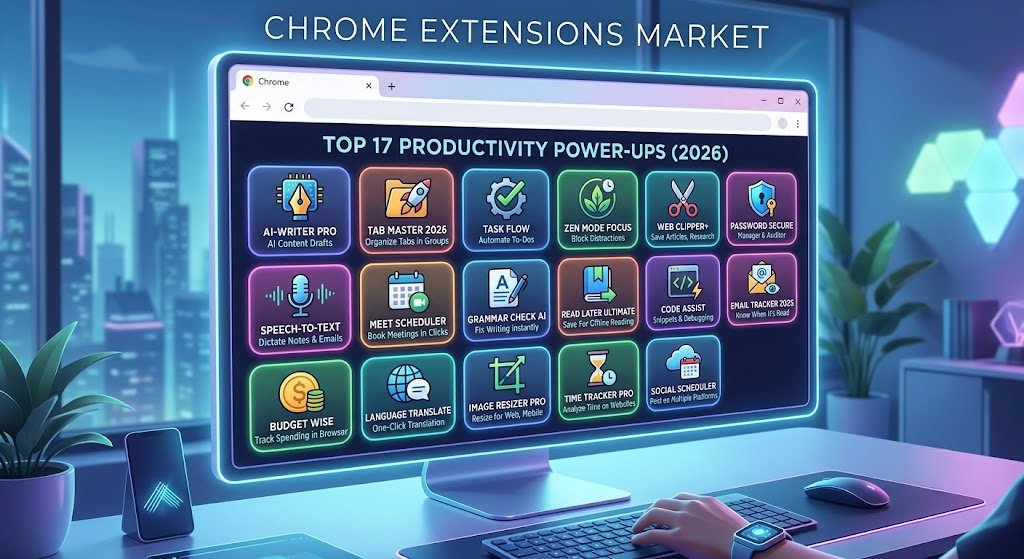
The browser has become the modern workplace. Whether you’re a student, entrepreneur, marketer, developer, writer, or remote worker, chances are you spend a large portion of your day inside Google Chrome.
The good news? The right Chrome extensions can dramatically improve your productivity.
From eliminating distractions and managing tasks to automating repetitive work and organizing information, the best productivity Chrome extensions help you save time and accomplish more without increasing your workload.
However, with thousands of extensions available in the Chrome Web Store, finding truly useful tools can be overwhelming.
That’s why we’ve carefully analyzed the most effective productivity-focused extensions available in 2026. This guide covers tools for time management, note-taking, focus, project management, communication, writing, and workflow automation.
By the end of this article, you’ll know exactly which extensions deserve a place in your browser and how they can improve your daily workflow.
Why Chrome Extensions Matter for Productivity
Productivity isn’t about working longer hours. It’s about reducing friction.
The best Chrome extensions help you:
- Minimize distractions
- Automate repetitive tasks
- Organize information efficiently
- Improve focus
- Manage projects effectively
- Save clicks and time
- Reduce context switching
Even saving a few minutes each hour can result in dozens of hours saved every month.
How We Selected These Productivity Extensions
To identify the best productivity Chrome extensions, we evaluated tools based on:
- Ease of use
- Performance impact
- Reliability
- User reviews
- Frequency of updates
- Real-world usefulness
- Privacy and security practices
- Cross-platform compatibility
The extensions below consistently deliver measurable productivity benefits.
1. Todoist – Best Task Management Extension
Why It Stands Out
Todoist transforms Chrome into a powerful task management hub.
Instead of switching between multiple apps, you can save websites, create tasks, organize projects, and track deadlines directly from your browser.
Key Features
- Quick task creation
- Due dates and reminders
- Project organization
- Priority levels
- Team collaboration
- Cross-device syncing
Best For
- Professionals
- Students
- Freelancers
- Project managers
Productivity Benefit
Capturing tasks instantly prevents ideas from slipping through the cracks.
2. Momentum – Best Productivity Dashboard
Momentum replaces Chrome’s default new tab page with a distraction-free productivity dashboard.
Every new tab becomes a reminder of your daily goals.
Features
- Daily focus goals
- Inspirational backgrounds
- To-do lists
- Weather updates
- Quotes and motivation
- Productivity widgets
Why People Love It
It encourages intentional browsing instead of mindless tab opening.
3. StayFocusd – Best Distraction Blocker
Social media and entertainment websites are major productivity killers.
StayFocusd helps eliminate those distractions.
Features
- Website blocking
- Daily time limits
- Custom schedules
- Challenge mode restrictions
- Productivity tracking
Ideal For
Anyone struggling with procrastination.
Productivity Impact
Many users report gaining multiple productive hours every week.
4. Grammarly – Best Writing Productivity Tool
Writing emails, reports, blog posts, and messages consumes a large portion of the workday.
Grammarly helps ensure every piece of content is clear and professional.
Features
- Grammar correction
- Spell checking
- Tone suggestions
- Clarity improvements
- AI-powered writing assistance
Best For
- Content creators
- Students
- Business professionals
- Remote teams
Time Savings
Reduces editing and proofreading time significantly.
5. Notion Web Clipper – Best Knowledge Management Tool
Research becomes chaotic when useful information is scattered across bookmarks.
Notion Web Clipper allows you to save content directly into your Notion workspace.
Features
- One-click article saving
- Research organization
- Database integration
- Team collaboration
Best For
Knowledge workers who collect large amounts of information.
6. Loom – Best Screen Recording Extension
Sometimes recording a quick video is faster than writing a long explanation.
Loom makes screen recording effortless.
Features
- Screen recording
- Webcam recording
- Instant sharing
- Team collaboration
- Video comments
Perfect For
- Remote workers
- Customer support
- Training teams
- Managers
Productivity Advantage
Reduces lengthy meetings and repetitive explanations.
7. Clockify – Best Time Tracking Extension
Understanding where your time goes is essential for productivity improvement.
Clockify provides simple but powerful time tracking.
Features
- One-click timers
- Project tracking
- Reports
- Billable hours
- Productivity analytics
Best For
- Freelancers
- Agencies
- Consultants
8. OneTab – Best Tab Management Extension
Too many tabs slow down both Chrome and your focus.
OneTab solves this problem instantly.
Features
- Tab consolidation
- Memory savings
- Tab restoration
- Link sharing
Productivity Benefit
A cleaner browser means less mental clutter.
9. RescueTime – Best Productivity Analytics Tool
You can’t improve what you don’t measure.
RescueTime automatically tracks your digital activities.
Features
- Automatic tracking
- Focus reports
- Productivity scores
- Website categorization
- Goal setting
Best For
Professionals seeking data-driven productivity improvements.
10. Toby – Best Tab Organization Tool
Toby replaces chaotic bookmarks with visual collections.
Features
- Workspace organization
- Project-specific tabs
- Team sharing
- Visual layouts
Ideal For
People managing multiple projects simultaneously.
11. Forest – Best Focus Extension
Forest uses gamification to help users stay focused.
When you focus, a virtual tree grows.
When you leave to browse distracting sites, the tree dies.
Features
- Focus timers
- Website blocking
- Productivity challenges
- Gamification
Why It Works
The visual reward system encourages concentration.
12. ClickUp Chrome Extension
ClickUp’s extension brings project management directly into Chrome.
Features
- Task creation
- Time tracking
- Screenshots
- Note-taking
- Website bookmarking
Best For
Teams already using ClickUp.
13. Evernote Web Clipper
Evernote remains one of the most powerful research and note-taking tools.
Features
- Save articles
- Highlight text
- Annotate pages
- Organize notes
Great For
Researchers, students, and writers.
14. Scribe – Best Process Documentation Tool
Creating tutorials manually takes time.
Scribe automatically generates step-by-step guides.
Features
- Workflow recording
- Automatic screenshots
- Documentation generation
- Knowledge sharing
Productivity Impact
Turns a 30-minute documentation task into a 2-minute process.
15. Checker Plus for Gmail
This extension helps manage Gmail without constantly opening inbox tabs.
Features
- Desktop notifications
- Email previews
- Quick replies
- Multiple account support
Benefit
Reduces inbox interruptions while keeping you informed.
16. LanguageTool – Grammarly Alternative
LanguageTool offers advanced grammar checking with strong multilingual support.
Features
- Grammar correction
- Style suggestions
- Multilingual checking
- Browser-wide integration
Best For
International professionals and multilingual users.
17. Bardeen – Best Workflow Automation Extension
Automation is one of the fastest ways to improve productivity.
Bardeen automates repetitive browser tasks.
Features
- No-code automation
- Data extraction
- Workflow automation
- App integrations
- AI-powered actions
Examples
- Save LinkedIn leads automatically
- Transfer data between apps
- Automate repetitive research tasks
Productivity Benefit
Saves hours of manual work every week.
Best Productivity Chrome Extensions by Category
For Focus and Concentration
- Forest
- StayFocusd
- RescueTime
- Momentum
For Task Management
- Todoist
- ClickUp
- Notion
For Research and Note-Taking
- Notion Web Clipper
- Evernote Web Clipper
- Toby
For Communication
- Loom
- Checker Plus for Gmail
For Writing
- Grammarly
- LanguageTool
For Automation
- Bardeen
- Scribe
How Many Chrome Extensions Should You Install?
A common mistake is installing too many extensions.
For optimal browser performance:
Recommended Setup
- 1 focus tool
- 1 task manager
- 1 writing assistant
- 1 tab manager
- 1 automation tool
This creates a highly productive environment without slowing Chrome down.
Productivity Extension Setup for Different Users
Students
Recommended stack:
- Todoist
- Forest
- Grammarly
- Notion Web Clipper
- OneTab
Freelancers
Recommended stack:
- Clockify
- Grammarly
- Loom
- Todoist
- Bardeen
Remote Workers
Recommended stack:
- ClickUp
- Loom
- Momentum
- RescueTime
- Checker Plus for Gmail
Content Creators
Recommended stack:
- Grammarly
- Notion Web Clipper
- Loom
- OneTab
- Bardeen
Common Mistakes When Using Productivity Extensions
Installing Too Many Extensions
More tools do not automatically create more productivity.
Ignoring Analytics
Extensions like RescueTime provide valuable insights. Review them regularly.
Not Removing Unused Extensions
Unused extensions can slow your browser and increase security risks.
Failing to Build Habits
Extensions support productivity but cannot replace consistent habits.
Conclusion
The best productivity Chrome extensions aren’t necessarily the ones with the most features—they’re the tools that remove friction from your daily workflow.
For most users, a combination of Todoist, Grammarly, OneTab, Forest, and Bardeen creates a highly efficient productivity system. Together, these extensions help manage tasks, improve focus, streamline communication, and automate repetitive work.
Start by installing two or three extensions that address your biggest productivity challenges. Once those become part of your routine, gradually expand your toolkit.
In 2026, productivity is no longer about working harder. With the right Chrome extensions, it’s about working smarter, staying focused, and making every browser session more efficient.
Frequently Asked Questions (FAQ)
What are the best productivity Chrome extensions in 2026?
The best productivity Chrome extensions include Todoist, Grammarly, Momentum, StayFocusd, Notion Web Clipper, Loom, RescueTime, OneTab, Forest, and Bardeen. These tools help with focus, task management, automation, and organization.
Which Chrome extension is best for staying focused?
Forest and StayFocusd are among the most effective focus-oriented extensions. Forest uses gamification, while StayFocusd limits access to distracting websites.
Do Chrome extensions slow down browser performance?
Yes, excessive extensions can affect performance. Installing only essential productivity extensions minimizes resource usage and keeps Chrome running smoothly.
What is the best free productivity Chrome extension?
OneTab is one of the best free productivity Chrome extensions because it saves memory, organizes tabs, and improves browser performance.
Are productivity Chrome extensions safe?
Most reputable extensions are safe when downloaded from the Chrome Web Store. Always review permissions, privacy policies, ratings, and update history before installing.
Which Chrome extension helps automate tasks?
Bardeen is one of the leading browser automation extensions. It automates repetitive workflows and integrates with many popular apps.
Can Chrome extensions improve remote work productivity?
Absolutely. Tools like Loom, ClickUp, Grammarly, and Momentum help remote workers communicate better, stay organized, and reduce distractions.